Android TV & Google TV
KhodiTech TV Launcher
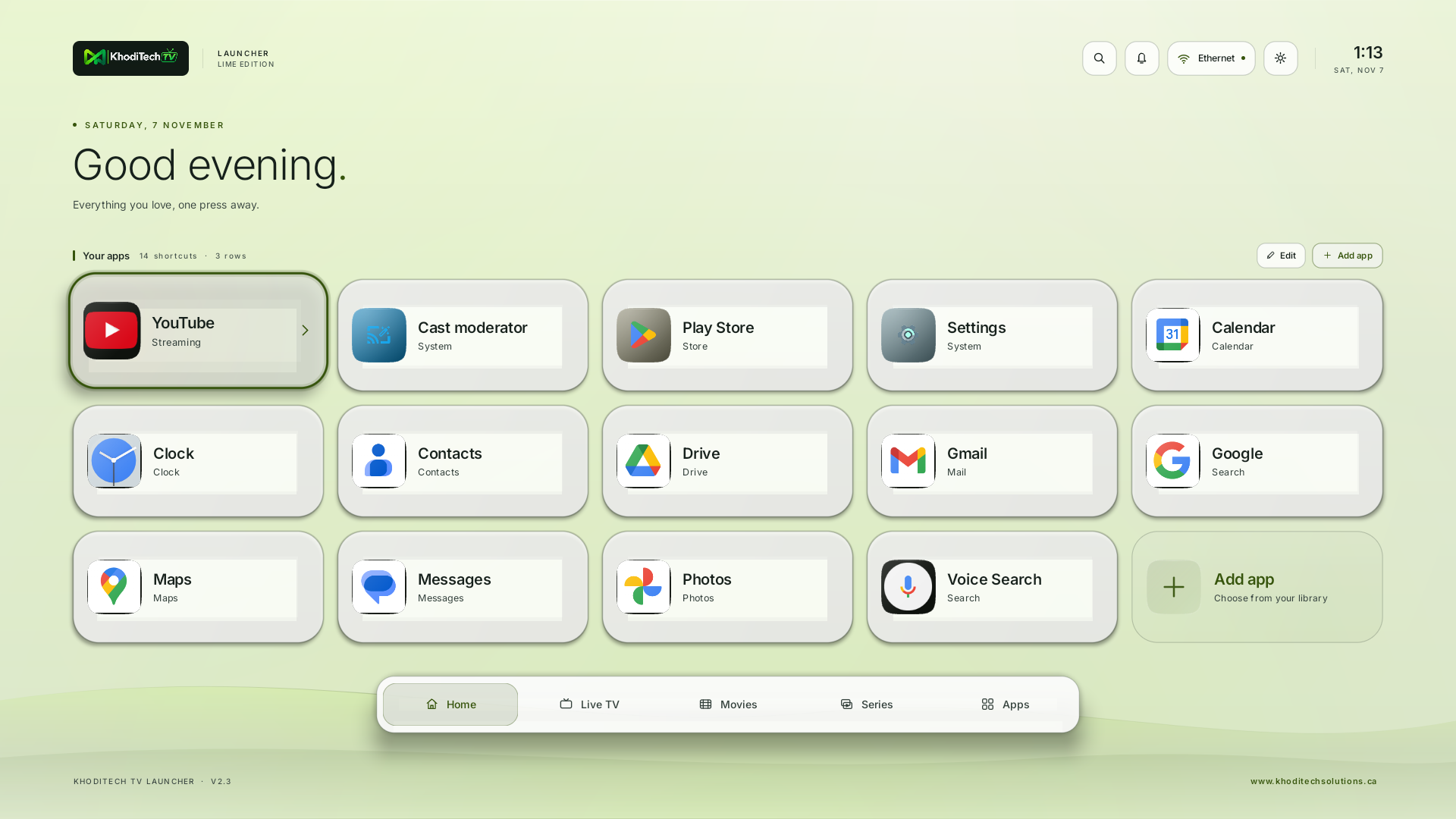
A quiet home for the apps you use. Keep your shortcuts in reach, choose what stays, and pick the glass, colour and light that suit your room.
Download signed APK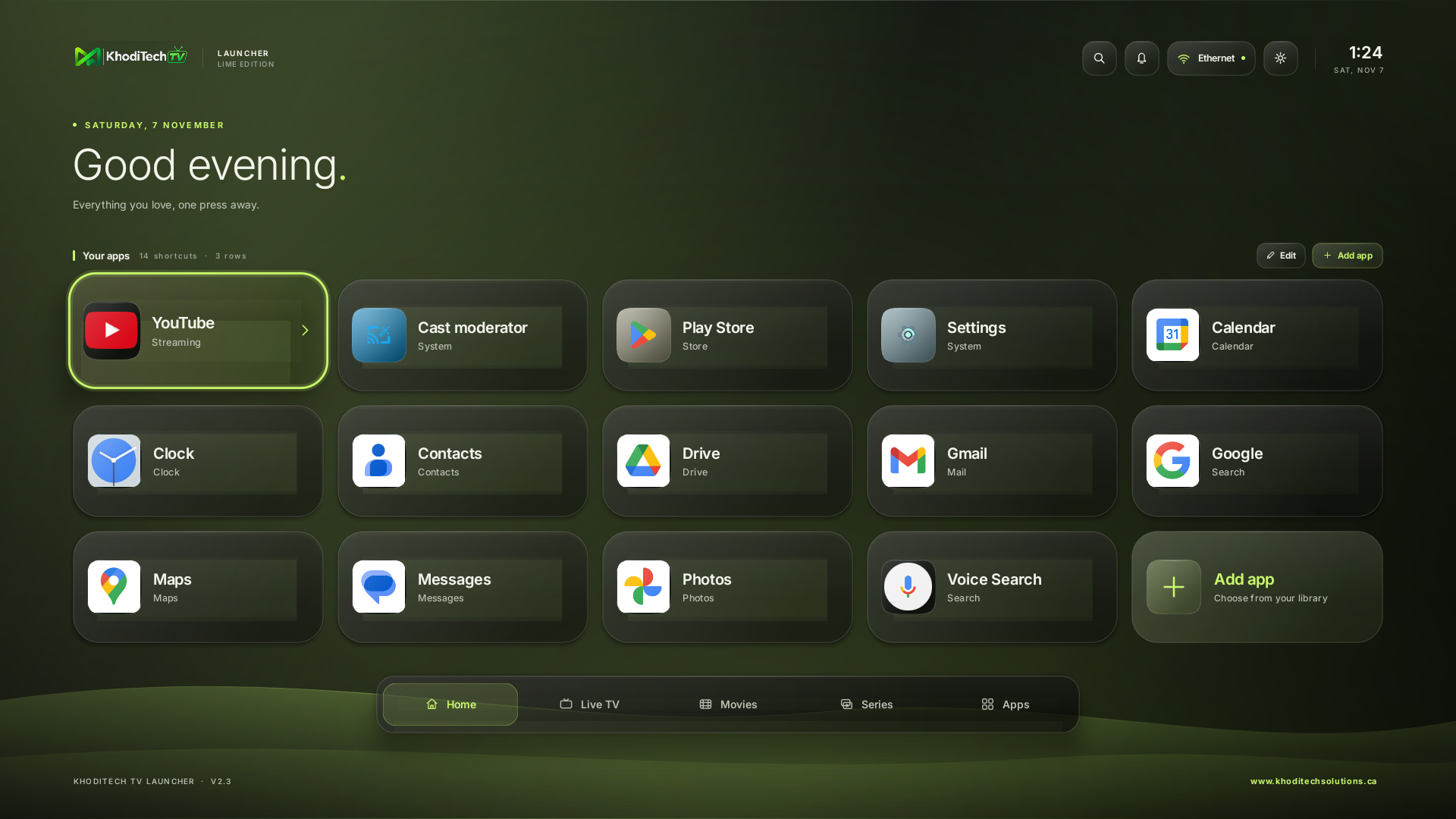
Make it yours
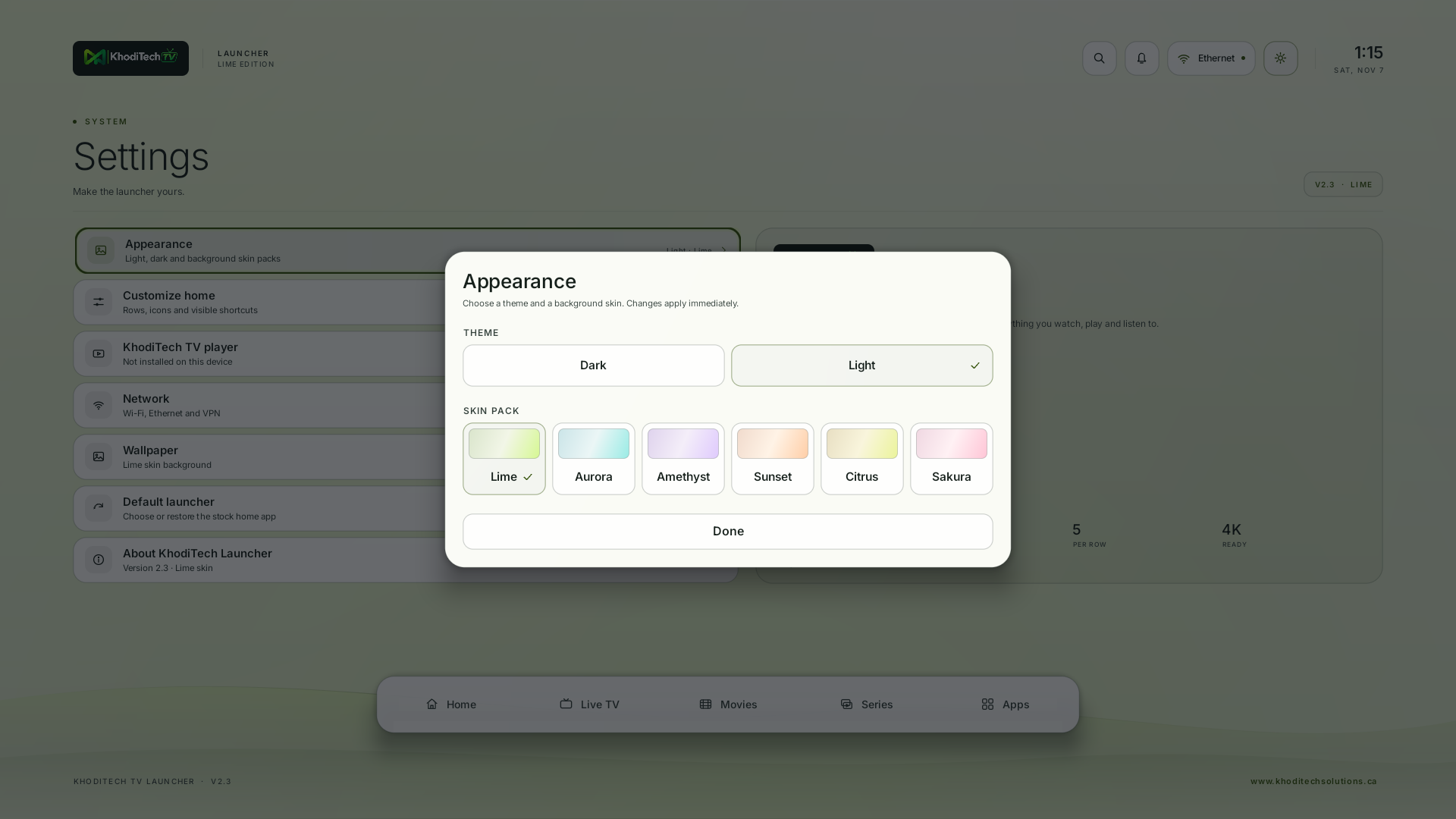
Choose Light or Dark and pair it with Lime, Aurora, Amethyst, Sunset, Citrus or Sakura. Keep up to 15 shortcuts on Home, remove what you do not need with Edit home, and hide unused entries from the app library. Preferences are stored on the TV.
Install on your TV
- Download the APK. Use an Android TV or Google TV device with Android 6.0 or later.
- Install the file from a trusted file manager, or run
adb install KhodiTechTVLauncher-v2.3.apk - Open KhodiTech TV Launcher from your apps.
- On devices that support it, select it under Settings → Apps → Default apps → Home app.
A previous debug install uses a different signing key. Save its layout before switching builds.
Edit home
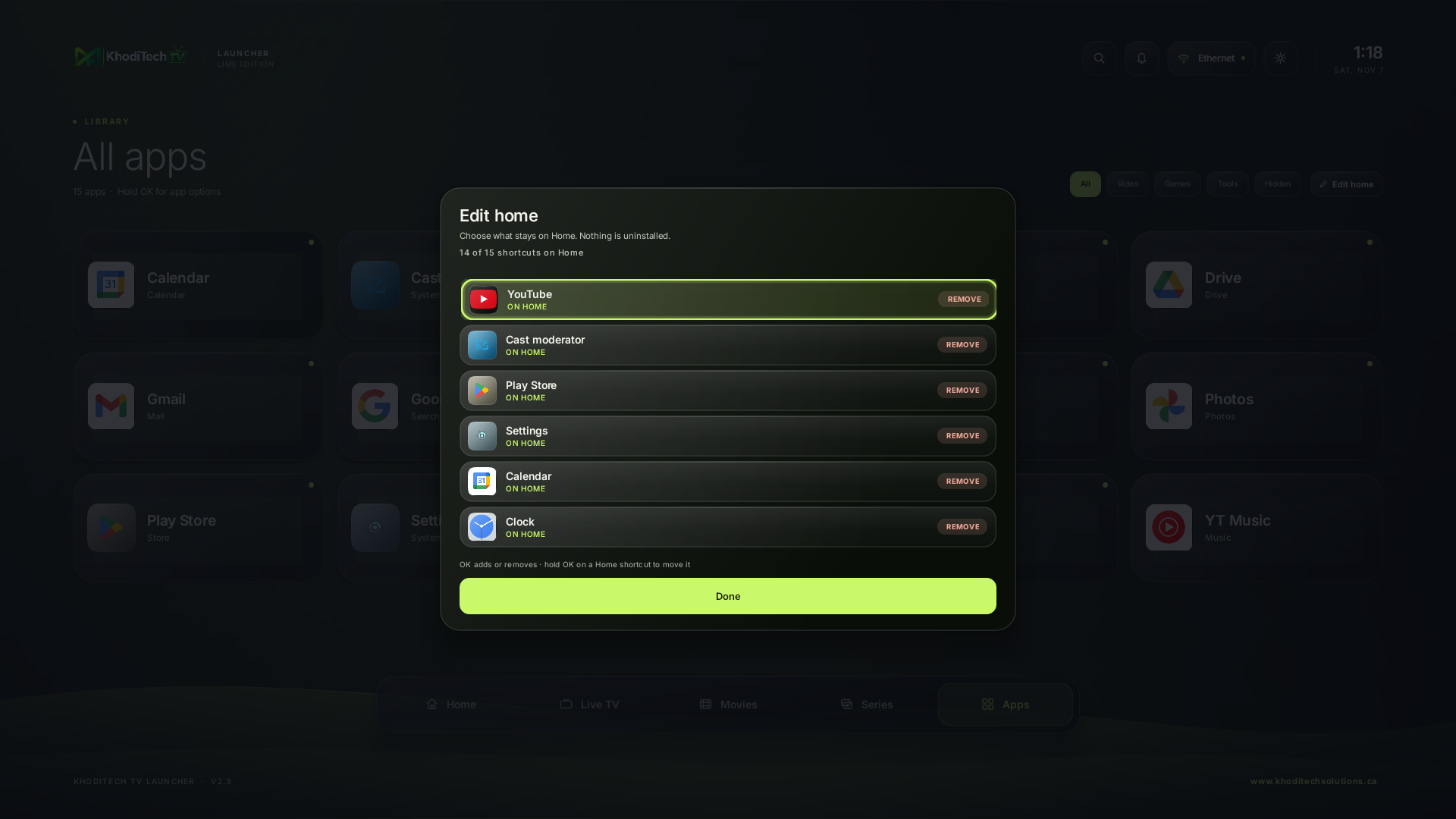
Choose what stays.
Open Edit home from the Home screen or the Apps library. Every app is one OK press from Add or Remove; nothing is uninstalled. The lime dot in the library shows what is already on Home.
A closer look
Verify your download
Compare the SHA-256 of your file with this value:
7be041b3ccf74bd78e5a6a77b10d50d5598764f476d3f69d8054022ce7a2c5aa